

EXHIBIT DESIGN
Technology that disappears.
The hardware should feel intuitive and immersive, so visitors forget the technology and focus on the person in front of them.
We start with your space and the story you want to tell. The takeaway you want visitors to leave with usually decides the display: an intimate booth for difficult personal testimony, a theater for a shared reaction, or a wall-sized canvas when the story needs photographs, film, and artwork around it.
StoryFile video runs on large-format touch displays, portrait kiosks, projection, Pepper’s Ghost, LED walls, tablets, headsets, and standard browsers. Once an interview is filmed, the same StoryFile can be deployed across physical and online environments at the same time.
What an installation includes
Video display — LCD, LED, transparent, or projection, sized so the subject appears life-size.
Visitor input — touchscreen kiosk, seat microphones, or a handheld mic for docent-led sessions.
Media server — dedicated PC per station, with remote monitoring and content updates.
Audio — directional speakers or handsets tuned to the room’s acoustics.
Orientation graphics — signage and an introductory video that teach visitors how to ask.
Subtitles
Second language
DMX lighting sync
Document search
INSTALLATION FORMATS
Designed around the size of the audience.
One visitor asks differently than fifteen. The number of people in the room drives the display, the microphone strategy, and the pacing of the conversation.
ONE TO ONE
Semi-private booths
Two booths at the National WWII Museum put a visitor face-to-face with one of 18 men and women who lived through the war. The enclosure quiets the gallery for speech recognition and encourages more personal questions.
Display: 65” life-size LCD
Input: 32” touchscreen kiosk
Best for: testimony, oral history, one subject at a time
10–15 VISITORS
Small group theaters
Visitors sit together and virtually interview Medal of Honor recipients. Every seat can have its own microphone and ask button, creating a shared Q&A with a real person on screen.
Display: LCD, HoloGlass, or projection
Input: per-seat microphone and ask button
Best for: timed sessions and school groups
30–100 VISITORS
Larger rooms, one microphone
For class visits and public programs, a wireless handheld microphone passes between students. A docent interface can steer the session with popular questions, maps, and typed prompts.
Display: projection, LED, or video wall
Input: wireless handheld and docent tablet
Best for: school programs and lectures
WHOLE GALLERY
LED walls and interactive murals
A multi-panel LED wall can show a life-size subject while related photographs, film, data, or artwork appear beside them. Idle walls become murals until a visitor engages.
Display: opaque LED, transparent LED, or mesh curtain
Input: tablet or kiosk
Best for: lobbies, atriums, and circulation space
DISPLAYS
Hardware built for life-size presence.
StoryFile runs on commercial displays and third-party fabrication, and we also build a purpose-made line for installation, service, and support. Empathy survives best at life-size scale.

HoloGlass 86”
A 4K transparent touchscreen in front of an illuminated white box. Layers of real depth make the subject read as present in the room rather than on a screen.
Product specs
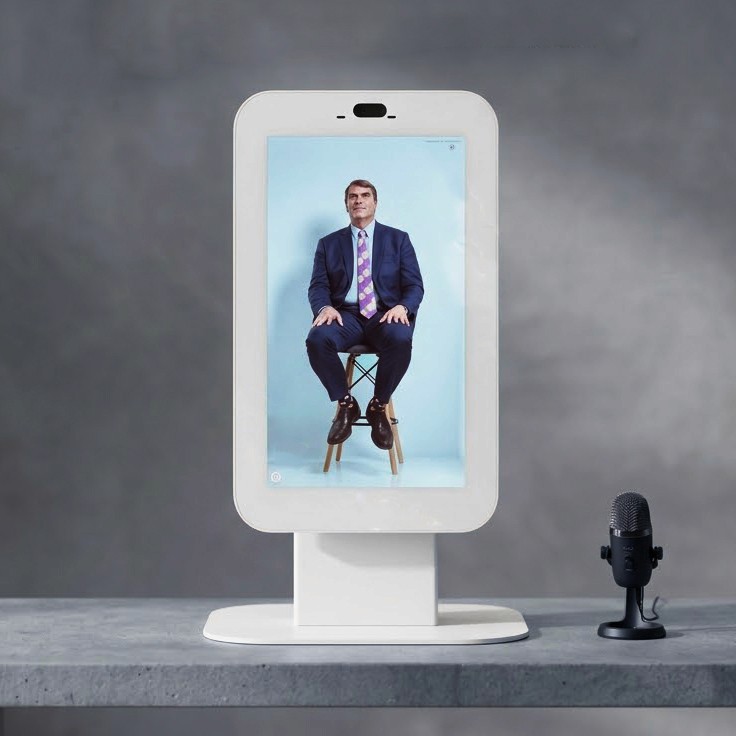
HoloGlass 21.5” & 27”
The same transparent-box effect at desk and pedestal scale for reception areas, tight galleries, and travelling versions of a larger exhibit.
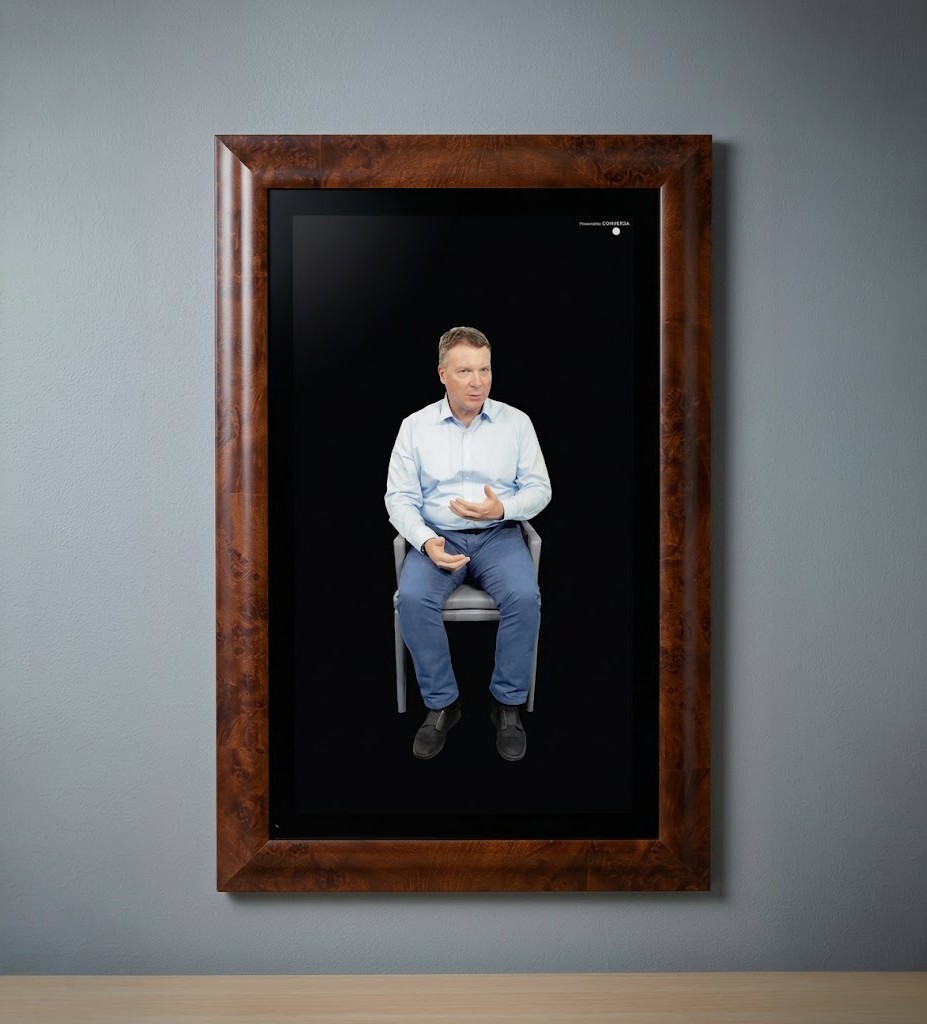
StoryFrame LCD
A conversational portrait in a custom wooden frame matched to your interior, built for high-traffic rooms where technology should read as furniture.

Lenticular 3D
Glasses-free holographic depth in 16”, 27”, and 86”, with built-in audio and thin wall-friendly display options.

LED & OLED Walls
Freestanding transparent OLED, LED panels, or lightweight mesh curtain LED for architectural installations.
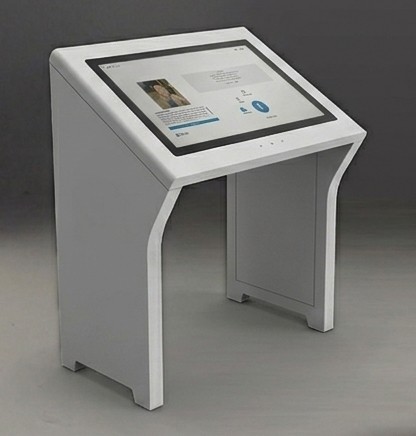
Kiosks, indoor & outdoor
22”, 32”, 43”, and 55” in portrait, angled, and touch-rail orientations. Indoor units are fanless; outdoor units add weatherproof housing and Gorilla Glass.
THE INTERFACE
Everything a visitor needs to ask a good question.
The kiosk is where hesitation gets resolved. It shows visitors who they’re talking to, what they might ask, and how to ask it—in their own words, out loud or typed.
Touchscreen kiosk
Hold-to-talk microphone input, suggested questions, on-screen keyboard, biography, intro video, subject switching, language controls, and subtitles all live in one visitor-facing screen.
Docent interface
For guided sessions, a docent view adds an interactive map, popular questions, touchless microphone input, and question queueing. It can steer the room without hiding the visitor’s curiosity.
BEYOND THE SCREEN
The room answers too.
Any response can trigger something outside the display: a light, a second screen, a document, an animation. The conversation becomes the exhibit’s conductor.
Synchronized DMX lighting
When a veteran recounts a military operation, the room can spotlight a map, a uniform, or a photograph. StoryFile responses can cue lighting, intensity, timing, and artifact focus.
Synchronized media and archives
Responses can open a photograph, roll archival film on a secondary display, or surface a document from a collection. The answer and its context appear together.
VR & WEBXR
When the story needs a place, not a screen.
Some memories are about somewhere. We build headset and browser experiences that place visitors inside the moment first, then let them talk to someone who was there.
ACCESSIBILITY
Built so more people can ask.
Language support, subtitles, typed input, voice synthesis, lip sync, seated and standing layouts, kiosk height, reach range, and sightlines are specified with the exhibit—not added afterward.
WORKING TOGETHER
How an installation comes together.
STEP 01
Site and concept
We walk the space—sightlines, acoustics, traffic, power, light—and match formats to visitor goals.
STEP 02
Spec and budget
Display, input, mounting, and integration options priced as a package, with alternates where needed.
STEP 03
Interview production
Our studio films each subject against hundreds of questions, with archival material folded in.
STEP 04
Build and install
UI is designed to your brand, hardware is staged and tested, then installed with your AV team.
STEP 05
Run and refine
Weekly analytics, accuracy tuning, support, and expansion for new subjects after launch.
SELECTED WORK
Installed and running.
NEW ORLEANS, LA
National WWII Museum
Voices from the Front — two booths, 18 interviewees, opened March 2024.
ARLINGTON, TX
National Medal of Honor Museum
Group theaters with five Medal of Honor recipients.
BENTONVILLE, AR
Walmart Museum
Sam Walton theater with DMX lighting cued to each answer.
INDIANAPOLIS, IN
Anthem
Executive LED wall with synchronized secondary media.
CHICAGO, IL
DuSable Museum
The March, with TIME — VR speech plus a conversation with Joyce Ladner.
VR & WEBXR
Tell Me, Inge…
Conversational XR with 360° hand-drawn animation.


